A 2026 app to try: jeojeo music maps, features and download links
Some songs bring back a street or a trip. jeojeo lets you connect music with places. Explore music zones, walking playlists, Lookback and official download links in this guide.
What is jeojeo? Music with a place on the map
jeojeo connects music and location. Assign music to a street, park or travel stop so that your map also holds the sounds you want to hear there. Choosing a song becomes a question of where it belongs.
Try a relaxing track for the riverside on your way home, or songs you associate with a neighborhood from a trip. These are ideas to explore: a single meaningful place is enough to begin.
Learn how to play in one minute
jeojeo feature 1|Place music in your own jeo
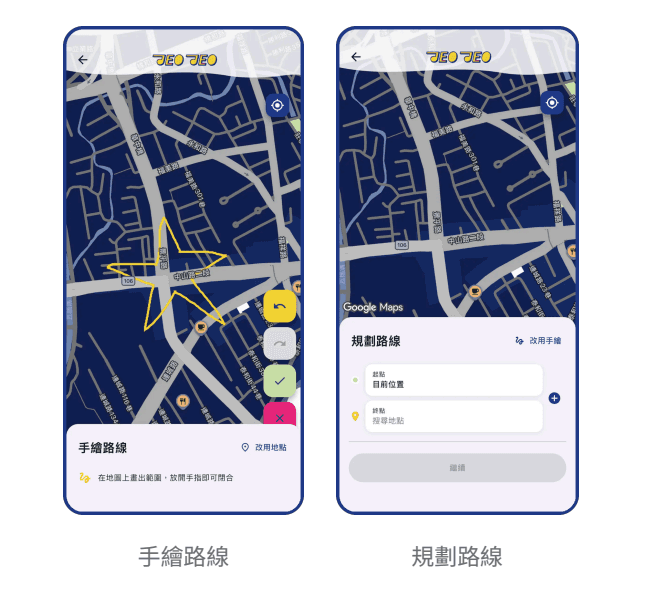
A music area on the map is called a jeo. The official introduction describes creating one by tapping + on the map, drawing a shape and adding music. You define the area to suit the listening experience you have in mind.
Songs, albums and playlists can be part of that experience. jeo Mix provides a way to organize multiple music items. Treat it as a themed playlist with a place attached, then refine what you want to hear there.
Start creating a playlist with the + button at the map’s bottom right. Draw an area or switch to place-based route planning, confirm it, name the playlist, then search for songs, albums or playlists and confirm. Use the music icon and My jeo to edit it later.
jeojeo feature 2|Listen as you explore places
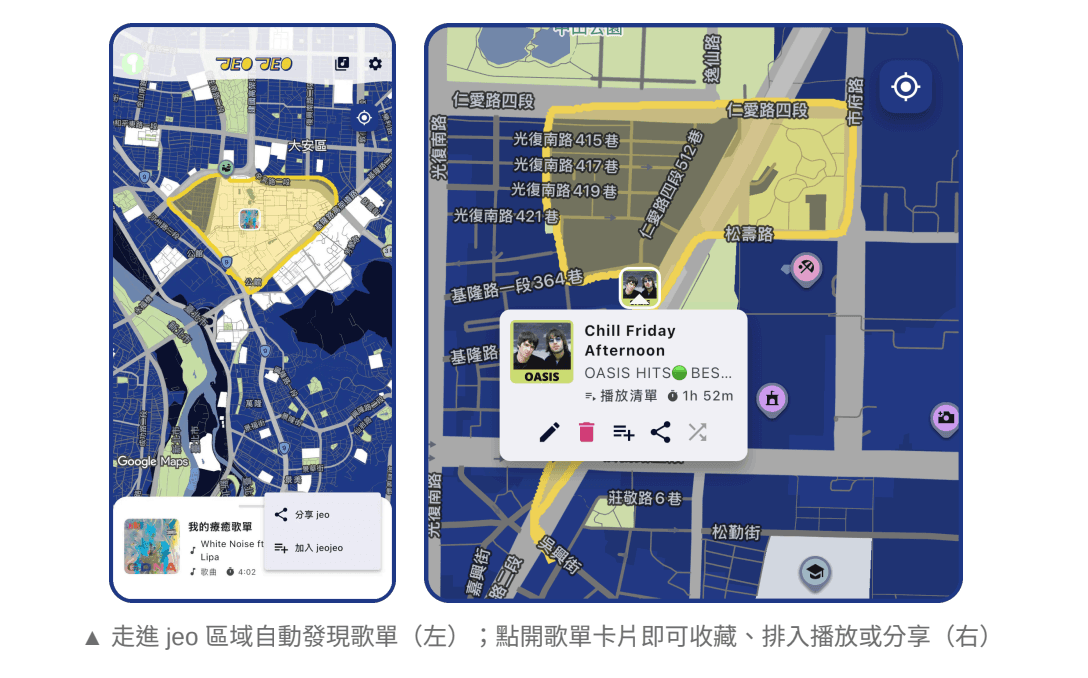
jeojeo connects listening with location. Enter a jeo area to discover its playlists. Multiple playlists can be created for the same place, and listeners choose what to hear based on their tastes or mood. A park might have a relaxed walking playlist and an energetic workout playlist; choose the one you want when you arrive.
Start with a familiar walk and one recognizable area. Location access, a network connection and the music-service connection need to work for location-triggered playback; complete the in-app setup before trying it.
Browse the latest, popular or nearby playlists to discover other people’s choices. Entering a public area surfaces its playlist card and music can join the playback queue. Crossing a boundary does not necessarily interrupt the current song; you can also save or share a playlist.
jeojeo feature 3|Build a route of music
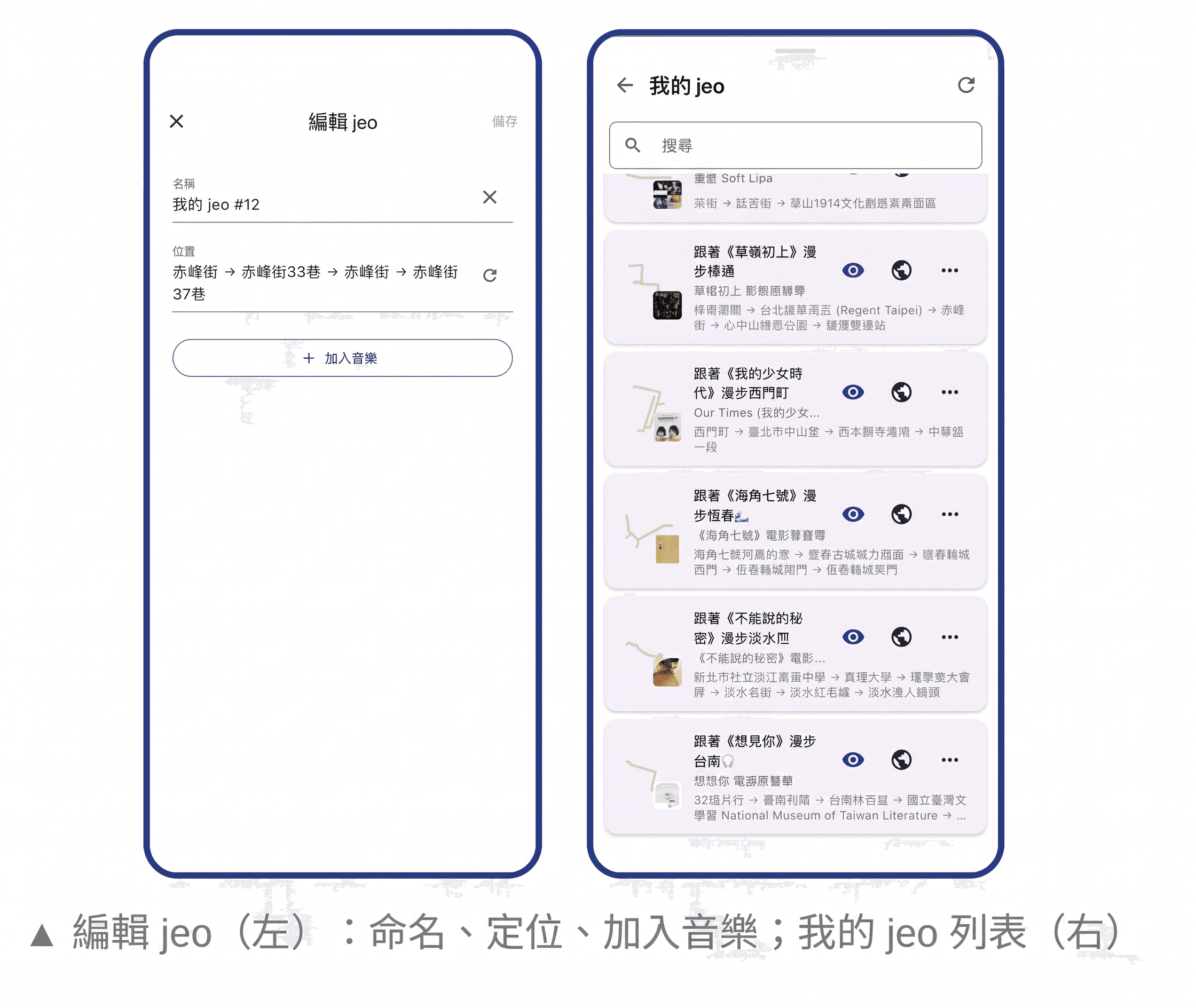
Link several jeos into a music route that you can share or save. Your listening can follow a walk from the station through a side street to a park, with music assigned to each place.
Possible themes include a weekend walk, a first visit to a city or your everyday commute. Choose a route and then its songs. Sharing it gives friends both a place to explore and music to hear there.
jeojeo feature 4|Revisit a day with Lookback
Lookback connects listening history with the places you visited. Its calendar, animated route playback and day-sharing features let you revisit a date through music and movement.
It can become another way into a travel diary, or a reminder of what you listened to on an ordinary walk. When you listen to songs with jeojeo, the app automatically records your route. You can choose to save it as a playlist afterward.
Lookback in action
How to get started
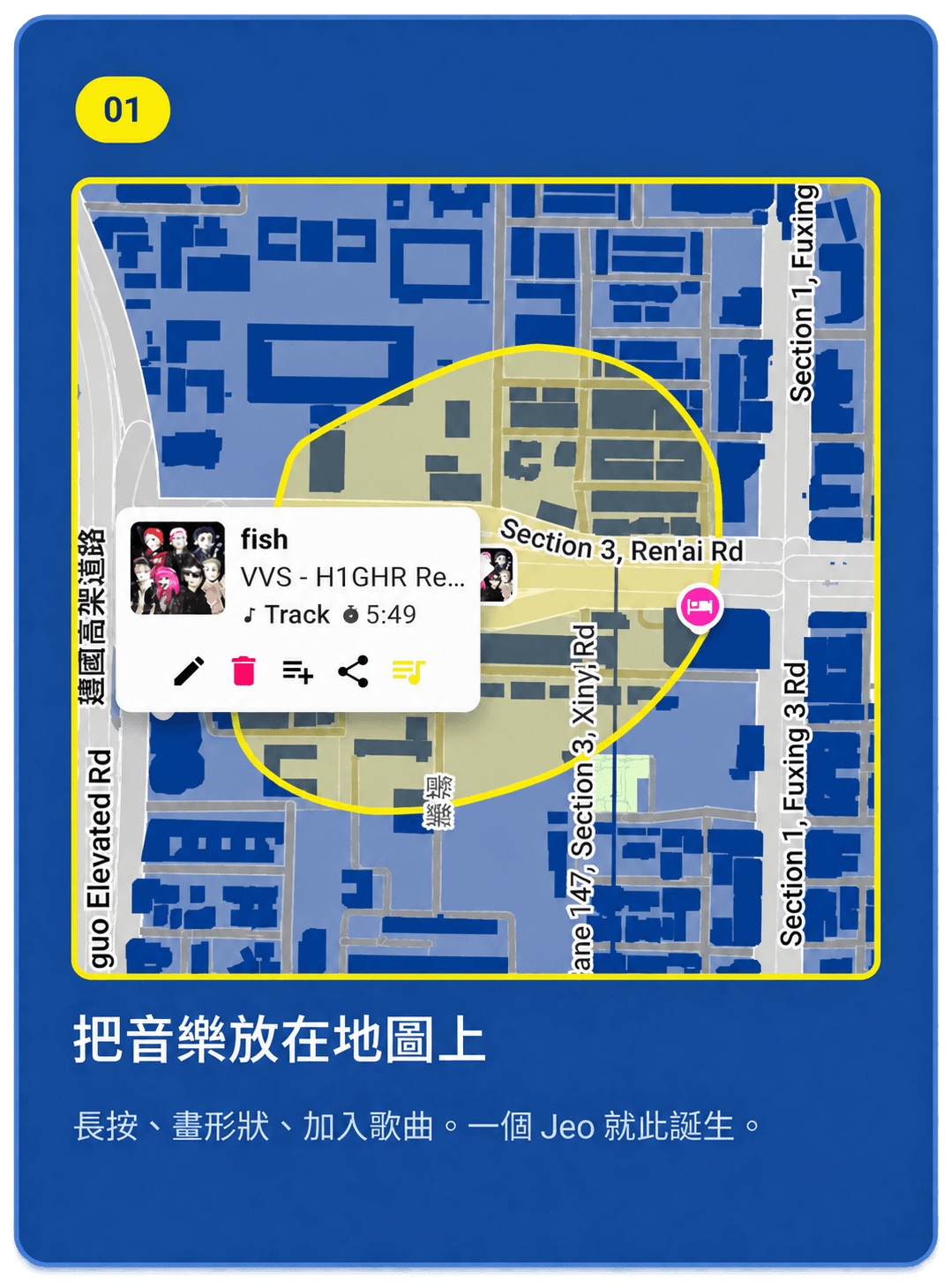
Begin with one place and one song. Download the app, follow its sign-in and Spotify connection prompts, and review location access. Create a jeo at a familiar place, add music and try entering the area.
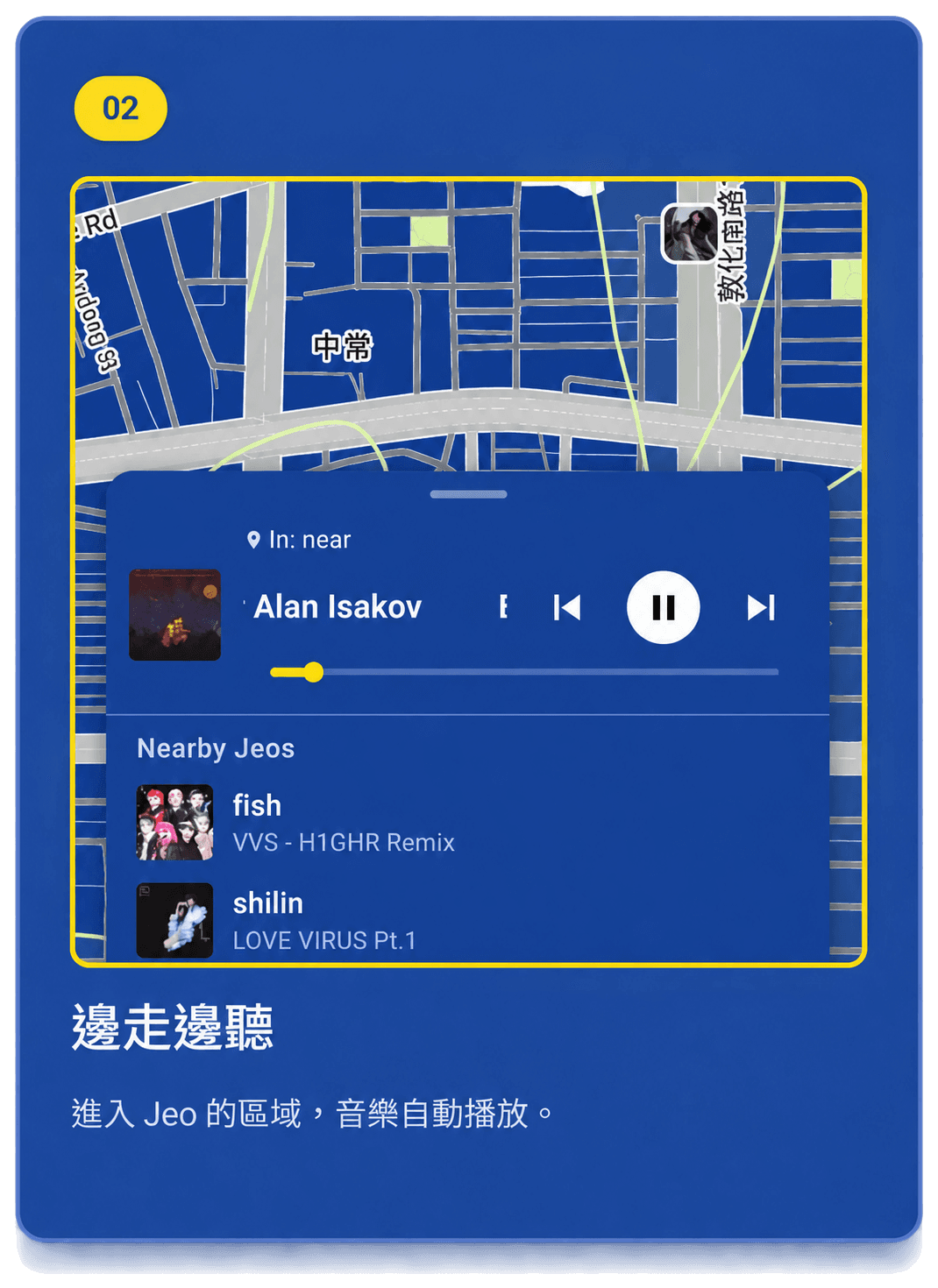
Once that feels familiar, add another place and build a route. Try Lookback if you enjoy revisiting days, or choose a soundtrack for each neighborhood if you enjoy curating music.
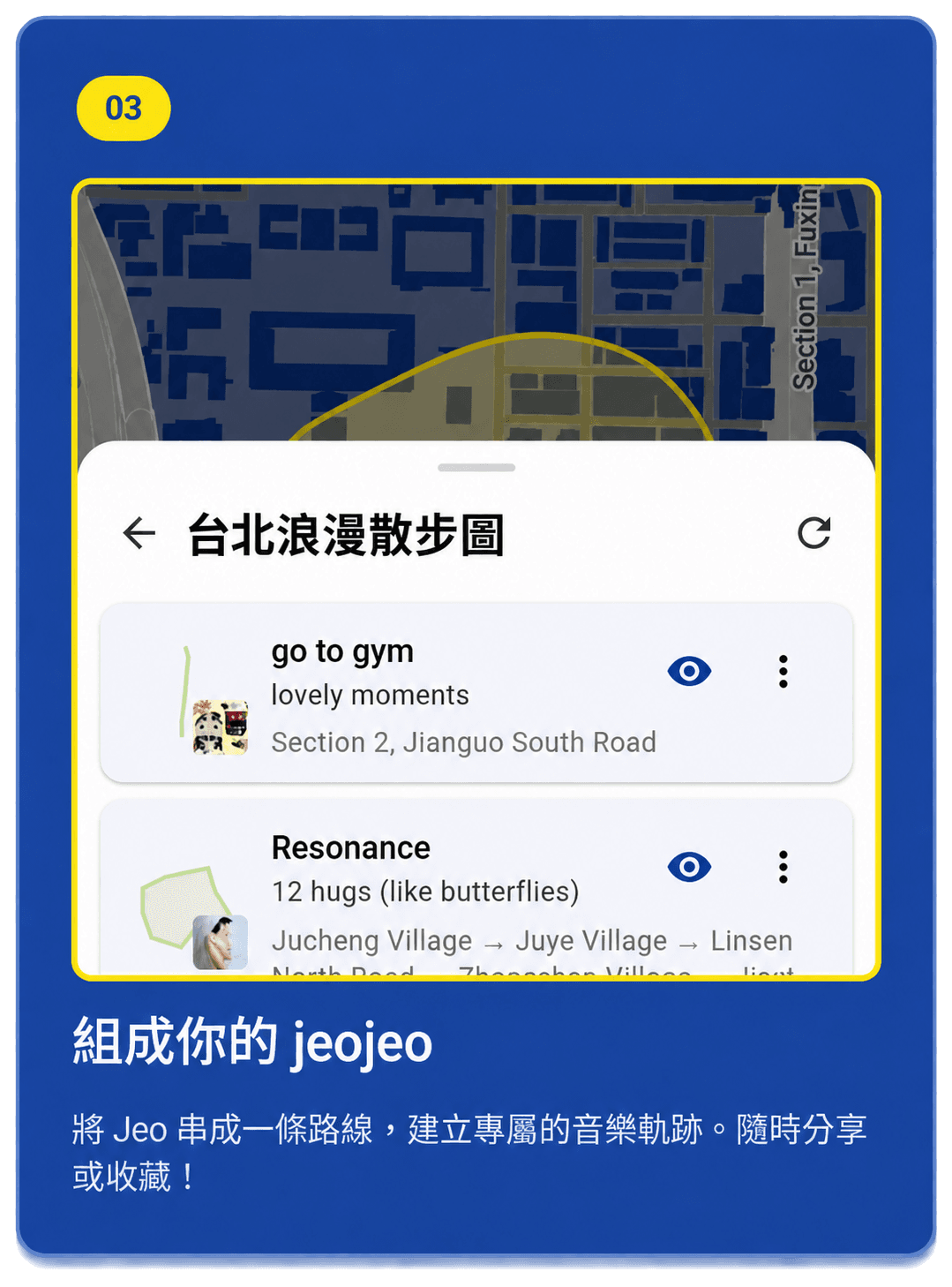
Sign in with Google or Apple and skip Spotify connection to browse first if you prefer; connect it for playback. New playlists are public by default and can be made private in My jeo. Lookback is private unless you share it, in which case recipients see the shared route and music.
Download jeojeo and check the requirements
Use the App Store link for iPhone and iPad, or the official Google Play link for Android. Each store shows availability, device requirements and the current release for your region.
At this article’s update, the official FAQ says jeojeo needs a Spotify account and an internet connection for syncing, playback and discovery. Apple Music support is still planned. Check the connection prompts for music-service eligibility and plan requirements, and manage location access in your device and app settings.
- App Store download link ↗
- Google Play download link ↗
- jeojeo official website ↗
- User manual (September 2026) ↗