How to Discover Music Near You: Start at a Street Corner
What song would you choose for the corner you pass every day? Perhaps something that helps you unwind after work, or an old favourite tied to a memory. Someone else might give that same street a completely different soundtrack. To discover how people hear the places around you, start with a music map and the songs they have left there.
Meet a place through the songs people share
In jeojeo, an area linked to music is called a jeo. People can add songs, albums or playlists to a place, connecting music with a corner, park or favourite spot. Public jeos let other people explore those selections too.
A question worth exploring is: what sound did someone choose for this place?

Step 1: Open the map somewhere familiar
Choose somewhere you will actually pass today: your station exit, a park on your lunch break or your regular café. You can start within your usual routine without making a special detour.
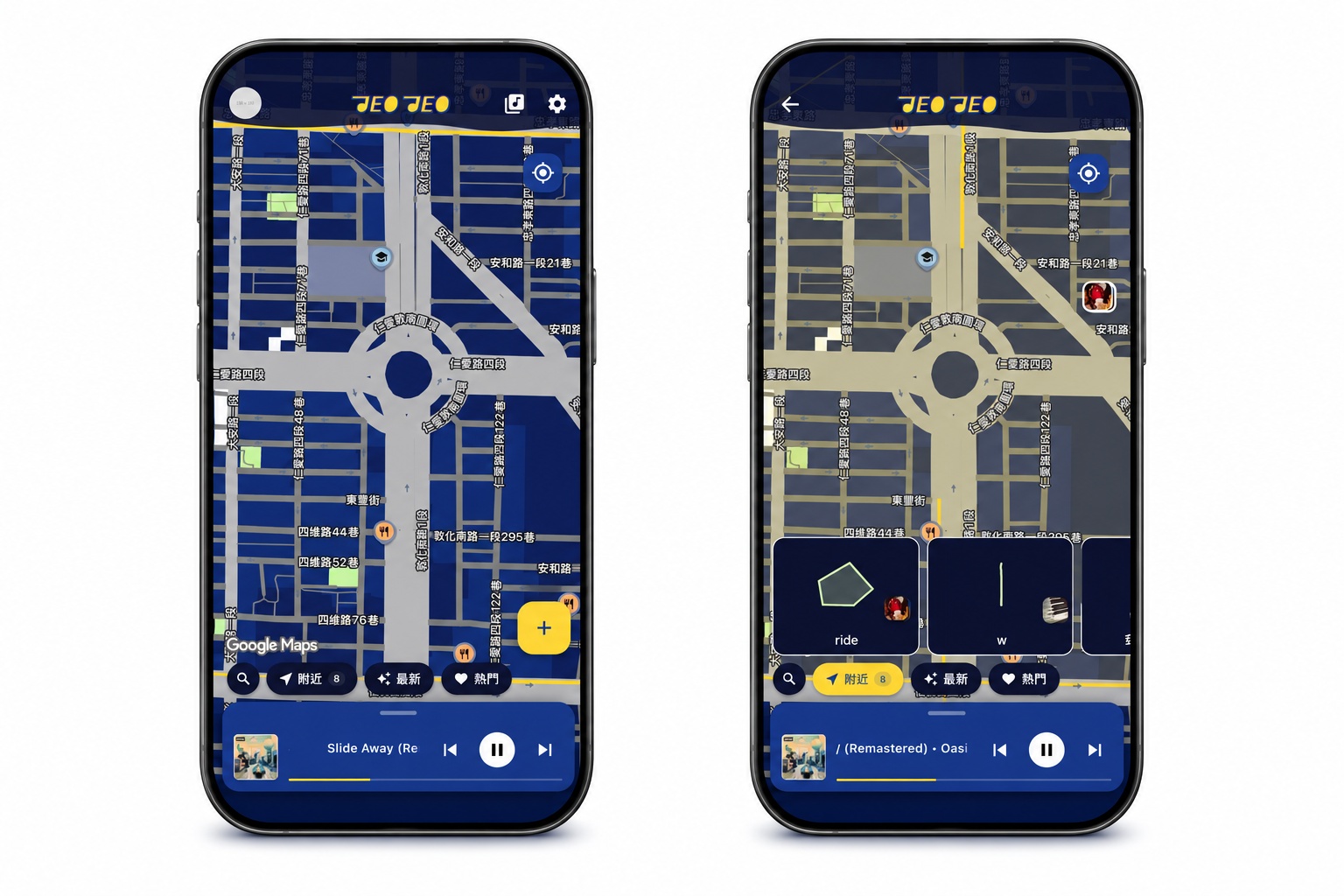
Open jeojeo to browse its map and playlists. Nearby, Latest and Popular can also give you a starting point. Follow the app’s location-permission prompts to show where you are, and keep an internet connection. What you find nearby depends on whether public playlists have been shared in that area.
Step 2: See which songs belong to the place
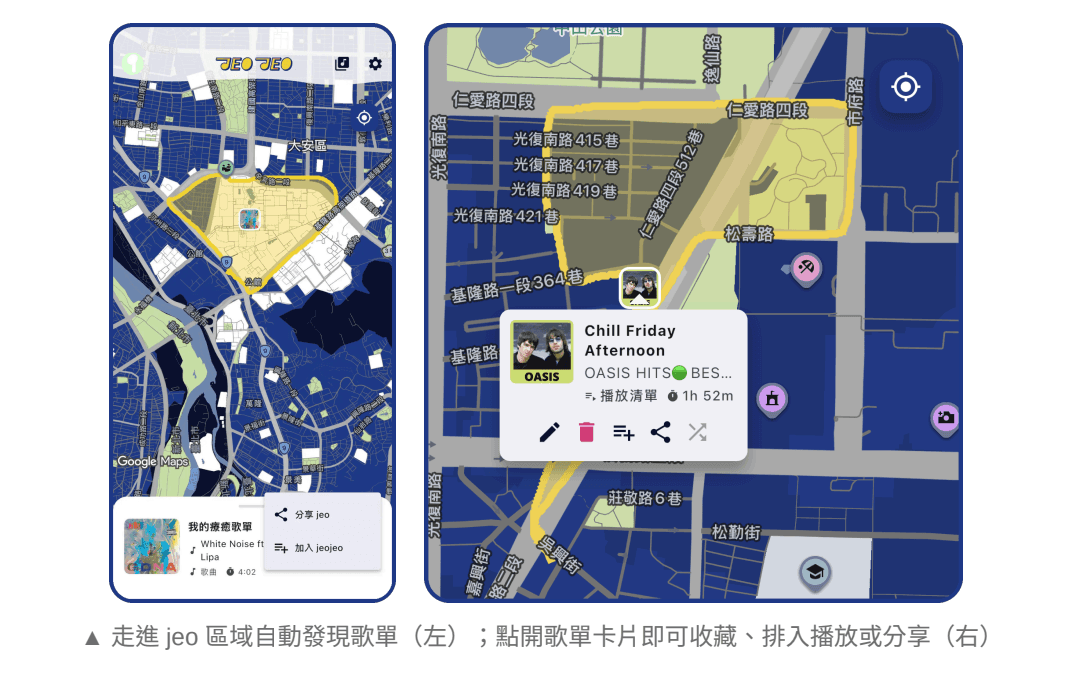
When you arrive in a public jeo area, you can view its playlist card. Look through the music and decide whether to listen. Being in a place does not mean you have to adopt its whole soundtrack.
To listen, follow the app’s music-service connection and playback setup. jeojeo supports Spotify connections, with Apple Music also supported on iOS.
Choosing to listen adds the music to the playback queue. Crossing an area boundary does not necessarily stop or switch the song already playing. Let a song finish, then choose what you want to explore next.
Step 3: Hear an unfamiliar song against the scene around you
Instead of asking whether a song is popular, try asking how it feels here. The same melody beside a busy crossing and a quiet river might draw your attention to different details.
You could look for a departure soundtrack near the station, explore another selection by the river, then sit at a café with a song you want to hear slowly. This is an idea for exploring, not a promise that all three stops have playlists. Finding one song that makes you linger is enough.
Someone else’s choices may not match your taste. That is fine. Discovering that another person hears your familiar route differently can be a new way to notice a place.
Step 4: Save a discovery or share it with a friend
Save a public playlist you like for another listen, or send its share link to a friend with a note: “This would suit the street we walked down last time.” A recommendation gains a place and a reason to start a conversation.
If exploring inspires you to leave a song yourself, create a jeo at a familiar corner. You do not need a complete route: begin with one place and one song, then gradually build your own music map.

A few questions before you explore
These common questions help you get started with public playlists near you.
Can I see what everyone nearby is playing?
You can view the listening records of users around you, but this does not mean a particular person is listening to those songs in that area right now.
What if there are no public playlists nearby?
Browse other places or look at Latest and Popular for inspiration. You can also create a jeo for somewhere familiar and start by sharing one song.
Do I have to connect a music service first?
You can browse and explore first. When you want to listen, follow the app’s prompts to connect a supported music service and complete playback setup.
Start with one corner today
Next time you leave the station or wait for a friend outside a café, open jeojeo and look for public selections nearby. Find a place, then give an unfamiliar song a little time.
You may not find your favourite song of the day, but you might notice that someone has already given your familiar city another soundtrack. Which corner would you leave a song at?
- Walking playlist: choose songs for the scenery ↗
- What is a music map? ↗
- App Store download link ↗
- Google Play download link ↗