
Music Without Detours: Make a Music Map Along Your Everyday Route
You do not need to go somewhere special to give a song a place. Your usual station, the corner where you buy coffee and the last stretch home can each have a playlist. “Music without detours” means starting your music map along the route you already take.
Start with the life you already have
Sometimes you want a different way to hear your daily route, without researching destinations or planning a walk. Going to the station, getting lunch or walking home already gives you places to connect with music.
Let music follow your life, without creating another itinerary for it.
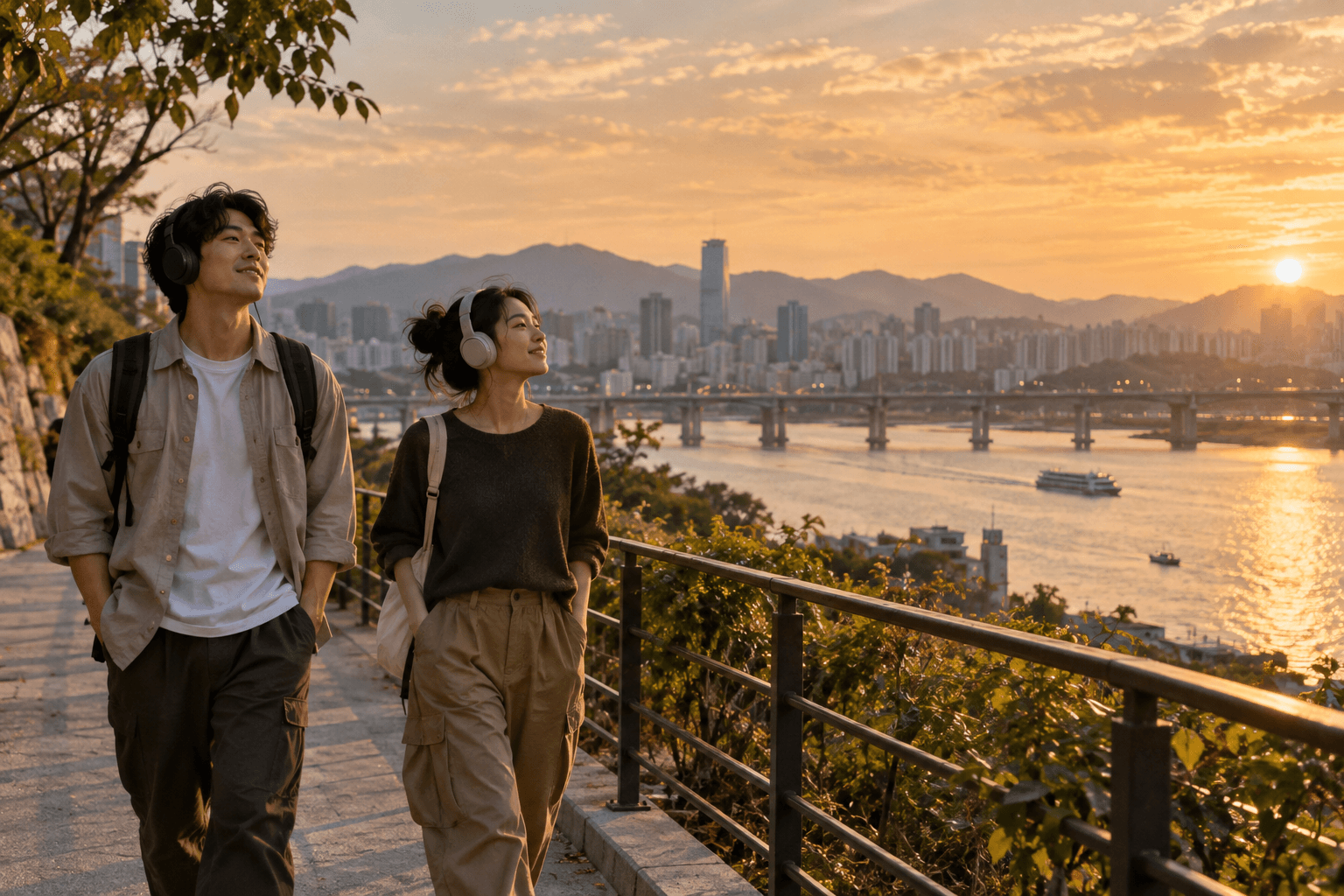
Choose three places you already pass
Look at a normal day and choose three recognizable places: near home, your station and the coffee corner near work. They do not need to be landmarks. Knowing what they mean to you is enough.
Start with three points rather than filling every street. Adapt the example below to your life; if you do not take public transport, use a familiar intersection instead.
Choose one song for a place you will pass today
Start with one familiar place. Download jeojeo and connect a song you want to hear today with it. Already have the app? Open it and give it a try.
- App Store:download link ↗
- Google Play:download link ↗
Three everyday places, with music
| Place you already pass | Listening idea | Example jeo name |
|---|---|---|
| Near home | One song for setting out | Start Slowly Today |
| Station or usual intersection | One song for this stretch | Three Minutes to the Station |
| Cafe near work | One song for your break | Keep Lunch Break for Yourself |
Turn these three places into your first music map
Ready to turn the example into your own place-based playlists? Follow the full tutorial to draw an area, add music, then visit the place and choose what to hear. You can begin with just one place and one song.
- Step-by-step guide:Follow along: create your first place-based playlist ↗
Start with one song and a name that means something
Think about the sound you want in that place: momentum when leaving home, room to breathe before work or a way to leave the day behind. Start each stop with one song you would willingly hear again.
Instead of naming everything “Favorites,” try “Wake Up Before Leaving,” “Three Minutes to the Station” or “Coffee in Hand, Take It Slowly.” A name can be a reminder for you, without claiming there is one correct soundtrack for a place.
Connect the music and places in jeojeo
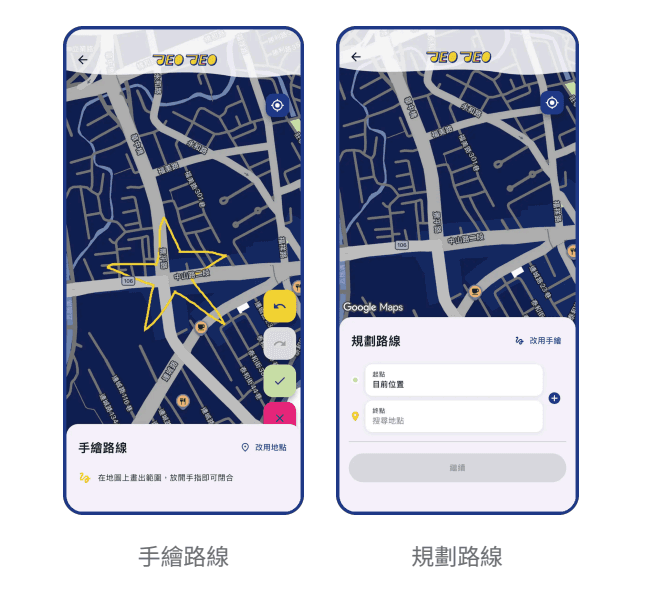
Download jeojeo below and follow the sign-in prompts. Find your first place, tap “+” to draw an area or use the place-based planning option, then confirm it. Name the jeo, search for a song, album or playlist, check the version and save.
Repeat for the other two stops. Before playback, connect a music service through the app and check location permissions and internet access. At a place, open its playlist card and choose to listen. Music enters the playback queue; crossing a boundary does not guarantee an immediate track change.
The three-stop tutorial in the related reading explains the controls. Here, the starting point is choosing places you already pass, without adding a new route just to try a playlist.
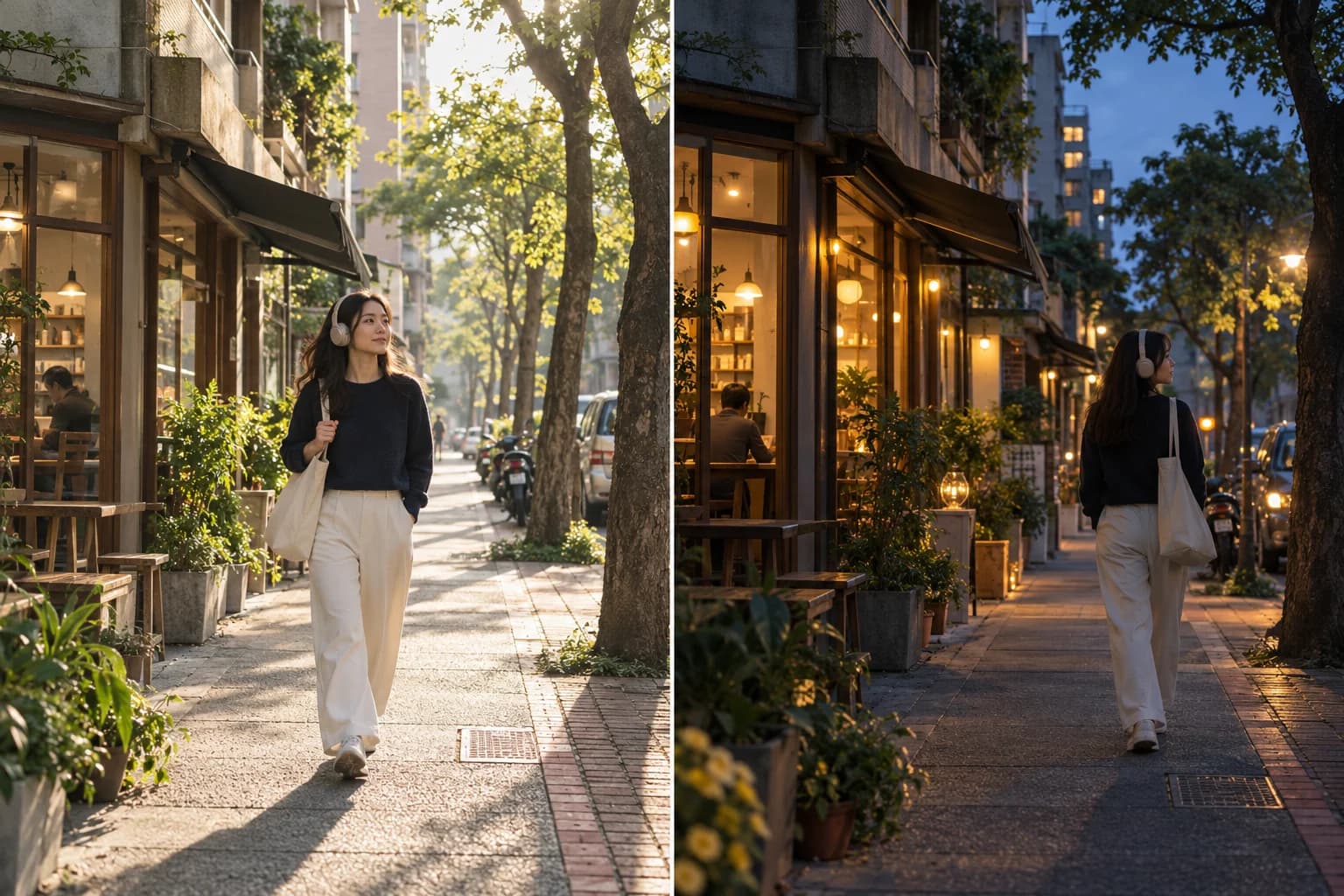
The same route can sound different in the morning and evening
A bright song might suit the walk to the station in the morning, while a quieter sound fits the same pavement at night. The place stays the same; what you want from it can change.
You can organize different playlist themes at the same place and choose according to your mood. This is your listening arrangement, not a scheduled automatic switch. Stop somewhere suitable before editing.
Try it for a week, then keep what you want to hear again
It does not need to be finished on day one. Follow your normal routine for a week and notice where you actually want music and which songs you skip. Replace tracks, or leave a section for the sounds of the street.
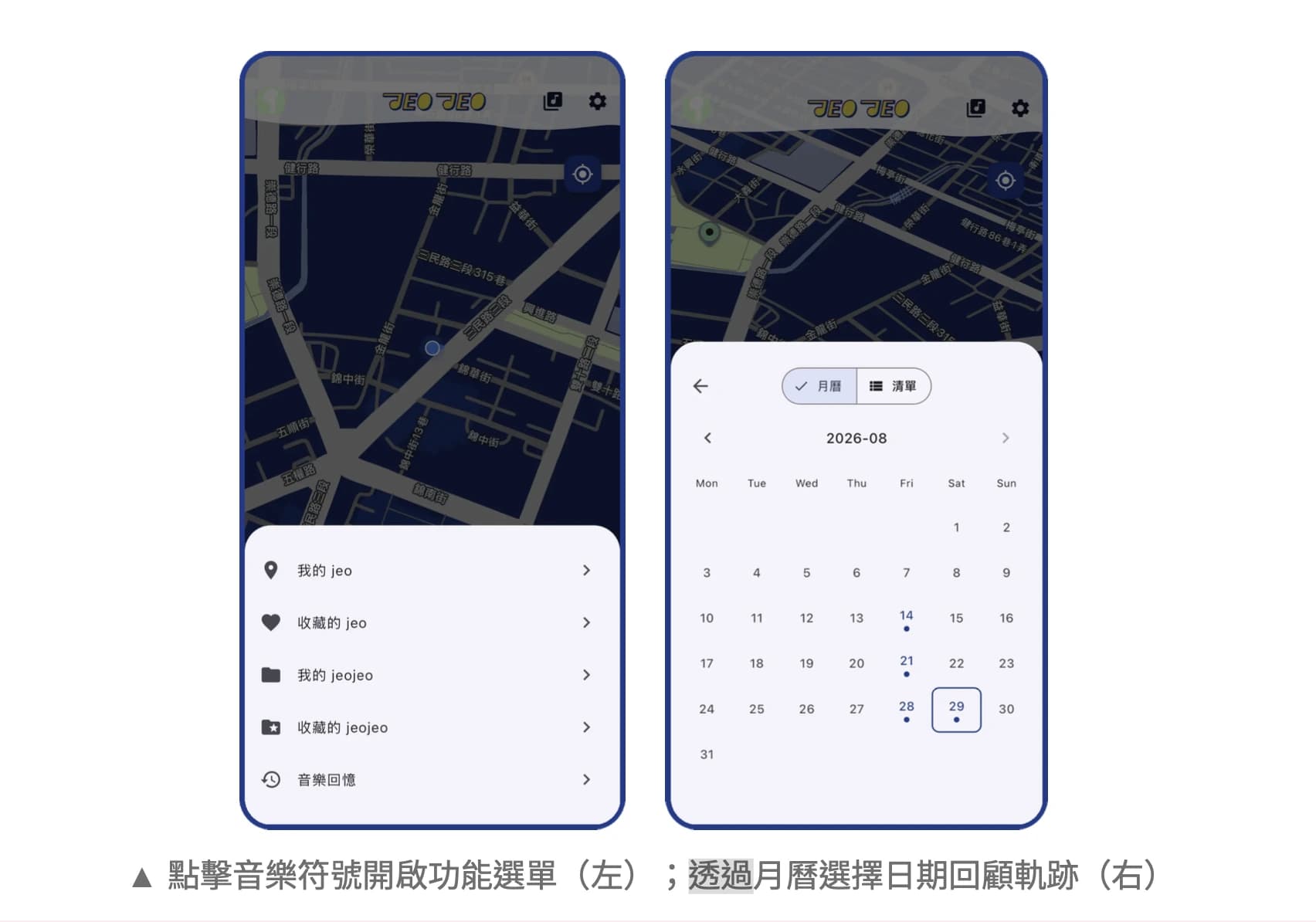
For reflection, jeojeo’s Lookback offers calendar and list views of listening and movement records. It is private by default; sharing a Lookback lets the recipient see the route and music included in that share.
Where will you pass today? Leave one song there
A music map need not begin with travel. Everyday life already holds moments worth keeping: the quiet before leaving, footsteps in the station and the feeling of finally getting close to home.
Next time you go out, keep the route. Choose a song for one place along it, and let your everyday music map start on a path you were taking anyway.